
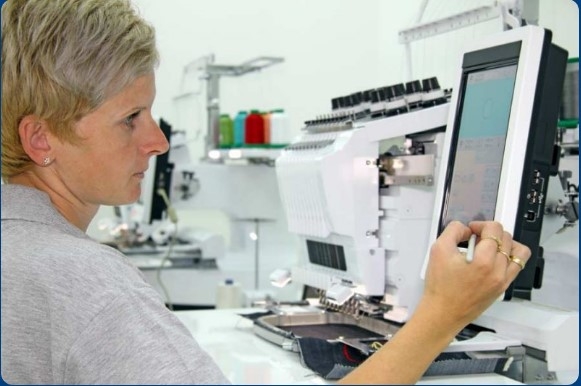
Embroidery looks bright and clean when done right. But many people face color problems. The design may look good on screen. But on fabric, the color can change. This can make your work look dull or wrong.In my work, I often see Color Issues in Embroidery Digitizing that affect the final result. Small mistakes in color choice or setup can cause big problems. The good news is that most of these issues are easy to fix if you know what to do.
Why Color Problems Happen in Embroidery
Color problems do not happen by chance. There are clear reasons behind them.
Main Causes
- Wrong thread color
- Poor digitizing
- Fabric type
- Machine settings
- Lighting differences
Understanding the cause is the first step to fixing the issue.
Problem 1: Colors Look Different on Fabric
This is the most common issue.
Why It Happens
Colors on a screen use light. But thread uses real dye. So the same color may not look the same.
How to Fix It
Use Thread Charts
Always check a thread chart. It shows real thread colors.
Test on Fabric
Do a sample stitch. This helps you see the real look.
Adjust Shade
Pick a slightly darker or lighter tone if needed.
Problem 2: Colors Look Dull
Sometimes colors lose their shine.
Causes
- Low-quality thread
- Wrong fabric
- Dust or lint
Solutions
Use Good Thread
High-quality thread gives bright results.
Clean Your Machine
Dust can affect stitching.
Pick the Right Fabric
Some fabrics absorb color more than others.
Problem 3: Thread Bleeding
Thread bleeding happens when color spreads into fabric.
Why It Happens
- Low-quality dye
- Too much heat
- Wet fabric
How to Fix It
Use Colorfast Thread
Good thread does not bleed.
Avoid High Heat
Be careful when ironing.
Test First
Always test on a small piece.
Problem 4: Wrong Color Matching
The design color may not match the idea.
Causes
- No color guide
- Guess work
- Screen difference
Fix It
Use Color Codes
Use thread color codes from brands.
Share Samples
If working with a client, show samples first.
Avoid Guessing
Always confirm the shade.
Problem 5: Gaps Between Colors
Sometimes you see space between two colors.
Why It Happens
- Poor digitizing
- Wrong stitch settings
Fix It
Adjust Stitch Overlap
Make stitches overlap a bit.
Use Underlay
This supports the top layer.
Problem 6: Colors Look Too Dark or Too Light
This can change the full look of the design.
Causes
- Wrong thread shade
- Fabric color effect
Solutions
Check Fabric Base
Dark fabric can change light colors.
Use Contrast
Pick colors that stand out.
Problem 7: Uneven Color Fill
Fill areas may look patchy.
Why It Happens
- Wrong stitch density
- Poor thread tension
Fix It
Adjust Density
Do not use too many or too few stitches.
Set Proper Tension
Balance top and bobbin thread.
Problem 8: Thread Breaks Affect Color Flow
Broken thread can ruin the design.
Causes
- Cheap thread
- Old needle
- High speed
Fix It
Use Strong Thread
Good thread runs smooth.
Change Needle Often
A dull needle can break thread.
Slow Down Machine
Medium speed is better for clean work.
Problem 9: Color Order Issues
Wrong stitch order can affect the look.
Why It Happens
- Poor planning
- No sequence setup
Fix It
Plan Stitch Order
Start from base colors.
Follow Layering
Build design step by step.
Problem 10: Fabric Showing Through
Sometimes fabric is visible between stitches.
Causes
- Low density
- No underlay
Solutions
Increase Density
Add more stitches where needed.
Use Underlay Stitch
This covers the base well.
Importance of Good Digitizing
Digitizing controls how colors appear.
What Good Digitizing Does
- Sets stitch type
- Controls density
- Plans color order
From my real work, I have seen that even a good design fails if digitizing is poor.
Choose the Right Thread Brand
Not all threads are the same.
Why Brand Matters
- Better color match
- Strong dye
- Smooth stitching
Tip
Stick with one trusted brand for consistency.
Match Design with Fabric Color
Fabric color affects thread color.
Example
- White thread on black fabric looks gray
- Light colors fade on light fabric
Solution
Use contrast for better results.
Lighting Can Trick Your Eyes
Light changes how we see color.
Types of Light
- Daylight
- Indoor light
- Machine light
Fix
Check your design in different light settings.
Test Before Final Stitch
Testing saves time and cost.
What to Check
- Color match
- Stitch quality
- Fabric response
Never skip this step.
Real Experience Tip
In many jobs, clients pick colors from screen only. After stitching, they are not happy.
Now, I always show thread samples first. This avoids confusion and builds trust.
Keep Your Machine in Good Shape
A clean machine gives better color results.
Maintenance Tips
- Clean lint
- Oil parts
- Check tension
This helps keep stitching smooth.
Use Proper Stabilizer
Stabilizer supports the fabric.
Why It Matters
- Keeps design stable
- Helps color look even
Choose the Right Type
- Tear-away
- Cut-away
- Wash-away
Pick based on fabric.
Build Trust with Quality Work
Good color work builds trust.
What Clients Expect
- Accurate colors
- Clean finish
- Strong stitching
When you deliver this, clients come back.
Advanced Tip: Use Color Layers Smartly
Layering colors adds depth.
How to Do It
- Start with base
- Add top layers
- Keep spacing clean
Advanced Tip: Use Contrast for Impact
Contrast makes design stand out.
Examples
- Dark on light
- Light on dark
This makes your design easy to see.
Keep Learning and Improving
Color work takes practice.
How to Improve
- Test new shades
- Learn from mistakes
- Study good designs
Final Checklist
Before final stitching, check this:
- Thread color is correct
- Fabric matches design
- Digitizing is clean
- Machine settings are right
- Test run is done
If all is good, your design is ready.
Final Thoughts
Color problems in embroidery are common. But they are easy to fix with the right steps.
Focus on good thread, proper digitizing, and correct fabric choice. Always test before final work. Keep your process simple and clean.
With time and practice, you will get bright and accurate colors every time.

 English
 Arabic
 French
 Spanish
 Portuguese
 Deutsch
 Dutch
Dutch
 Italiano
 Russian
 Romaian
 Portuguese (Brazil)
 Greek
Greek